
 English
 Español
 русский
 Français
 عربى
عربىContent
- 1 What Is Adhesive Photo Paper and Why Does It Matter
- 2 Choosing the Right Type of Adhesive Photo Paper
- 3 Printer Settings That Make a Real Difference
- 4 Preparing the Surface Before Application
- 5 Application Techniques for a Bubble-Free Result
- 6 Extending the Life of Your Adhesive Photo Prints
- 7 Common Mistakes to Avoid
- 8 Practical Use Cases Where These Tips Pay Off
What Is Adhesive Photo Paper and Why Does It Matter
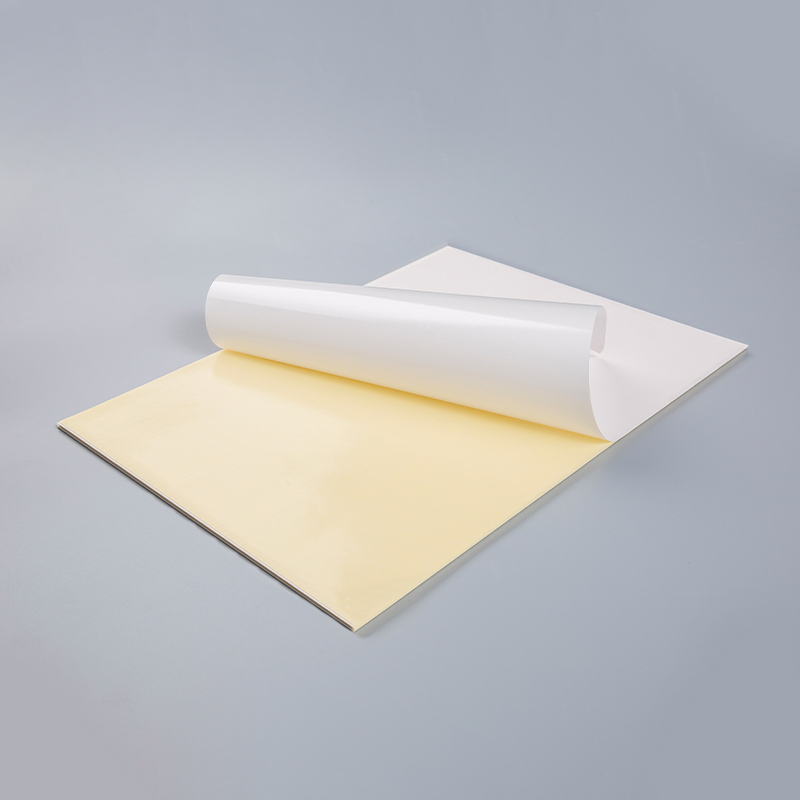
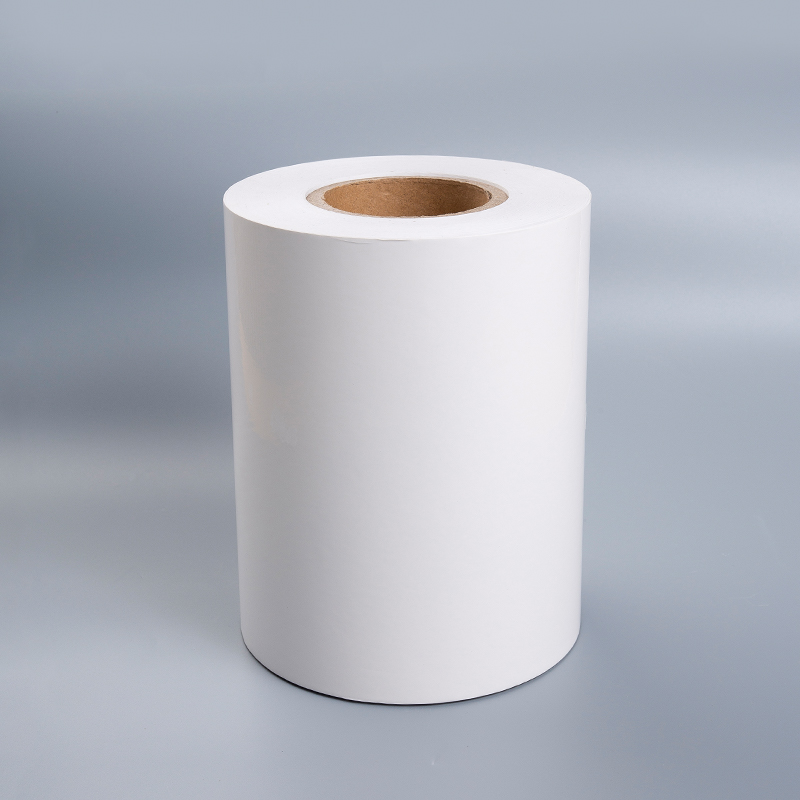
Adhesive photo paper combines the visual quality of standard photo paper with a self-adhesive backing, making it ideal for product labels, decorative stickers, photo displays, scrapbooking, and promotional materials. Unlike regular photo paper, the adhesive layer means your printed image can be peeled and applied directly to surfaces — which makes preparation, printing, and application techniques all the more important.
Getting the most out of adhesive photo paper isn't just about loading it into your printer and hitting print. Factors like paper finish, printer compatibility, ink type, surface texture of the application target, and environmental conditions all play a role in whether your final result looks polished or falls flat. This guide covers the most practical, proven techniques to help you achieve sharp, long-lasting prints every time.
Choosing the Right Type of Adhesive Photo Paper
Not all adhesive photo paper is the same. Before you print a single sheet, it's worth understanding the main variants available and which one suits your project.
Glossy vs. Matte Finish
Glossy adhesive photo paper delivers vibrant colors and high contrast, making it the go-to for product photos, promotional stickers, and anything where visual impact is the priority. Matte finishes, on the other hand, reduce glare and are better suited for text-heavy designs, indoor signage, or situations where the print will be handled frequently, as they are more fingerprint-resistant.
Permanent vs. Removable Adhesive
Permanent adhesive is designed for long-term application on surfaces like glass, plastic, metal, or cardboard — ideal for product labeling or outdoor use. Removable adhesive allows repositioning without leaving residue, which works well for temporary displays, wall decals, or situations where the sticker might need to be moved or replaced.
Inkjet vs. Laser Compatibility
This is one of the most critical distinctions. Using laser-specific adhesive photo paper in an inkjet printer — or vice versa — can result in smearing, poor adhesion of ink, or even damage to your printer. Always check the packaging to confirm compatibility with your printer type before purchasing in bulk.
Printer Settings That Make a Real Difference
Once you've selected the correct paper, dialing in your printer settings is the next critical step. Even a high-quality sheet of adhesive photo paper can produce mediocre results if the printer isn't configured correctly.
- Set paper type to "Photo Paper" or "Glossy" in your printer driver settings. This adjusts the ink volume and drying time to suit coated surfaces, preventing over-saturation and smearing.
- Print resolution should be at least 1200 dpi for photo-quality output. For detailed graphics or small text on labels, go up to 2400 dpi if your printer supports it.
- Disable fast or draft mode. These modes reduce ink passes and can leave streaks or uneven coverage on coated surfaces.
- Allow the print to dry fully before handling. Inkjet prints on glossy adhesive paper can take 2–5 minutes to become smear-resistant. Some environments with high humidity may require longer.
- Feed sheets one at a time through the rear tray if your printer has one, reducing the chance of jamming caused by the paper's thickness and stiffness.
Preparing the Surface Before Application
Even the strongest adhesive will fail if applied to a dirty, oily, or uneven surface. Proper surface preparation is often the step beginners overlook — and it's one of the most impactful.
Clean the target surface thoroughly with isopropyl alcohol (70% concentration works well) and a lint-free cloth. This removes dust, oils from fingerprints, and any residue from previous labels. Allow it to dry completely — typically 30–60 seconds — before applying the sticker.
For textured surfaces like rough wood, fabric, or certain plastics, adhesive photo paper may not bond as effectively. In these cases, a thin layer of adhesive primer or a smooth base coat can dramatically improve adhesion. Alternatively, consider laminating the sticker before application to reinforce the backing.
Temperature also matters. Both the paper and the surface should ideally be at room temperature (between 18–25°C / 65–77°F) during application. Cold surfaces cause the adhesive to stiffen and bond poorly, while very warm surfaces may cause bubbling or premature adhesion before you've positioned the sticker correctly.
Application Techniques for a Bubble-Free Result
Applying adhesive photo paper cleanly is a skill that improves with practice, but a few techniques make a significant difference from the start.
The Hinge Method
Peel back about one inch of the backing paper at one edge and fold it under. Align the exposed adhesive edge precisely with your target position, press it down, then slowly pull the backing away while smoothing the sticker flat with a credit card or squeegee. This prevents the sticker from shifting during application.
Using a Squeegee or Flat Card
Work from the center outward using firm, overlapping strokes. This pushes trapped air to the edges before it has a chance to form a bubble. Avoid pressing down on large areas all at once — doing so traps air underneath.
Fixing Small Bubbles After Application
For tiny air bubbles that remain, use a fine pin to puncture the center of the bubble, then press the air out with your fingertip. On glossy paper, this leaves an almost invisible mark. Larger bubbles usually indicate a surface contamination issue and may require reapplication.
Extending the Life of Your Adhesive Photo Prints
Adhesive photo paper prints can fade, peel, or scratch over time — particularly when exposed to UV light, moisture, or heavy handling. A few protective measures can dramatically extend their lifespan.
| Protection Method | Best For | Key Benefit |
|---|---|---|
| Lamination (cold or hot) | High-traffic labels, outdoor stickers | Scratch and moisture resistance |
| UV protective spray | Window decals, sun-exposed areas | Prevents color fading from UV exposure |
| Clear overlaminate film | Product packaging, retail labels | Professional finish and edge sealing |
| Indoor storage (away from light) | Decorative photo displays | Slows natural yellowing of paper |
For inkjet prints specifically, pigment-based inks offer significantly better fade resistance than dye-based inks. If longevity is a priority — for example, for product labels or permanent signage — consider switching to a pigment inkjet printer or using a print service that uses pigment inks.
Common Mistakes to Avoid
Even experienced users run into avoidable problems with adhesive photo paper. Here are the most common pitfalls and how to sidestep them:
- Printing on the wrong side: Adhesive photo paper has a coated print side and an adhesive-backed side. Loading it upside down in the printer produces a blurry, unabsorbed print. Always check the paper orientation before printing.
- Storing paper in humid conditions: Moisture causes the adhesive to activate prematurely or the paper to warp. Store unused sheets in the original sealed packaging in a cool, dry environment.
- Cutting before printing: Pre-cutting sheets to non-standard sizes can cause misfeeds or paper jams. Print first, then cut using a guillotine cutter or craft knife and ruler for clean edges.
- Skipping a test print: Always run a test print on plain paper before printing a full batch, especially when working with bleed-edge designs or custom labels. This catches alignment and color issues before they waste expensive adhesive paper.
- Peeling the backing too quickly: Rushing the peel often causes the paper to curl or the adhesive to fold back onto itself. Peel slowly at a low angle (around 30–45 degrees) to maintain control.
Practical Use Cases Where These Tips Pay Off
Applying the right combination of these techniques depends on your specific project. Here's how to prioritize what matters most in common scenarios:
Product Labels: Focus on printer settings (resolution and paper type), surface cleaning, and lamination. A smeared or faded label on a product reflects poorly on the brand. Use permanent adhesive and consider matte finish for a more premium look.
Scrapbooking and Craft Projects: Removable adhesive gives flexibility. Prioritize color accuracy by calibrating your monitor and using ICC profiles if your printer supports them. Glossy paper enhances photo vibrancy for memory-keeping projects.
Window Decals and Signage: UV protection becomes critical. Use a UV-resistant spray coat and, where possible, choose paper with a built-in UV barrier coating. Make sure the glass surface is squeaky clean before application.
In every use case, the principle is the same: the better your preparation — from paper selection to surface condition to printer settings — the stronger and more professional your final result will be. Adhesive photo paper rewards attention to detail, and once you've established a reliable workflow, it becomes one of the most versatile and efficient printing materials available.